
Accessing Tenant Analytic Metrics
What are Tenant Analytic Metrics?
Tenant Analytic Metrics (TAM), provide administrators with an overview of activity in their hub. The metrics cover activity in FAIR and Workspaces, but are accessed via a DRE Workspace.
By default metrics collection is enabled in all hubs and this article explains how users can access them.
Accessing TAM via a Workspace
The primary means of accessing TAM is via a DRE Workspace. We recommend that tenant admins create a workspace specifically for the purpose viewing the metrics. Where the customer organisation has more than one hub the workspace should be created in the primary hub.
Once this dedicated workspace has been created they should raise a ticket with the Aridhia service desk, providing the workspace name and asking for the metrics to be enabled within it. The service desk will then enable database views for all available metrics within that workspace.
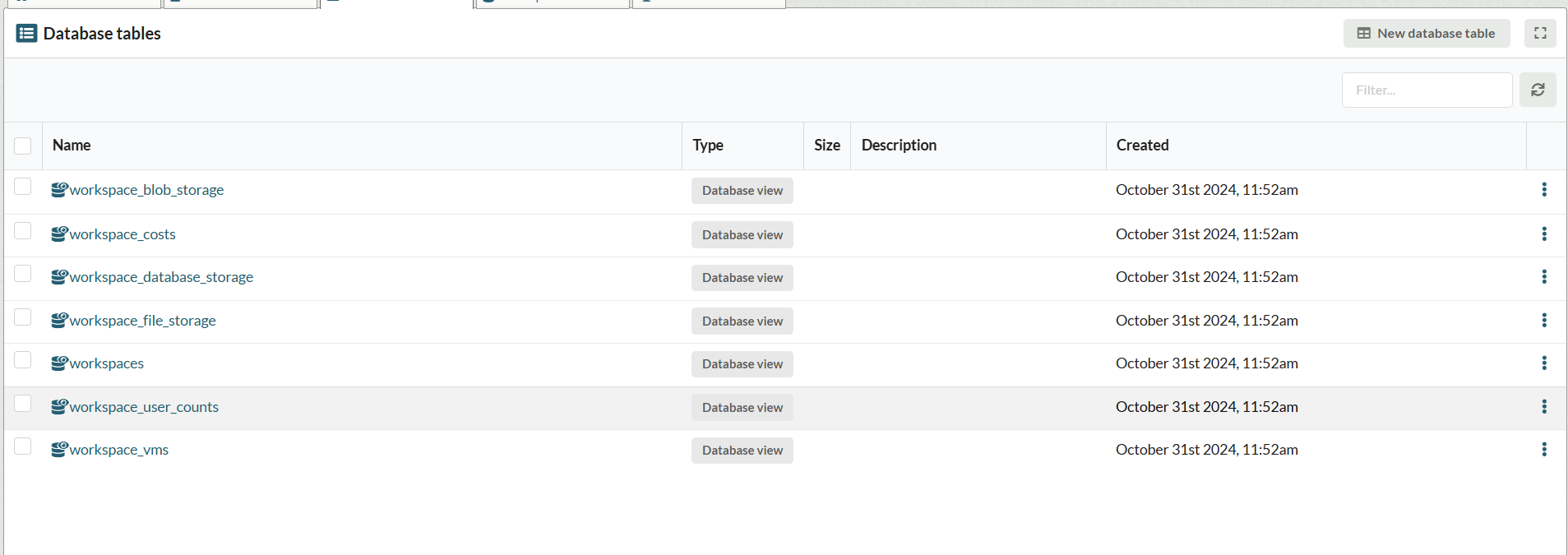
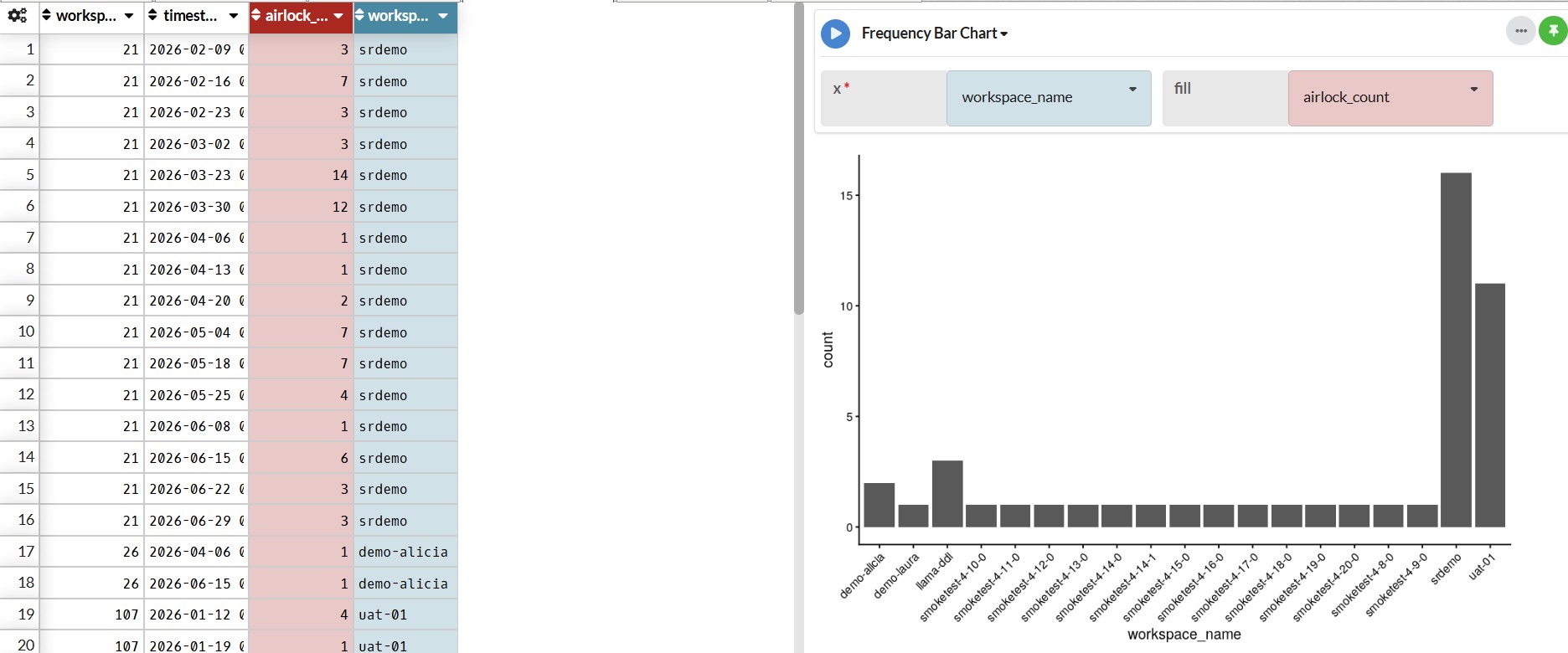
Workspace's native Data Table Analytics (DTA) modules can then be used to further analyse data. In the example below the DTA is used to visualise the number airlock exports per workspace:
Accessing TAM via API
Tenant Admins can also access TAM via the API. Documentation for the TAM API is accessible from the user menu in the top right corner of workspaces:
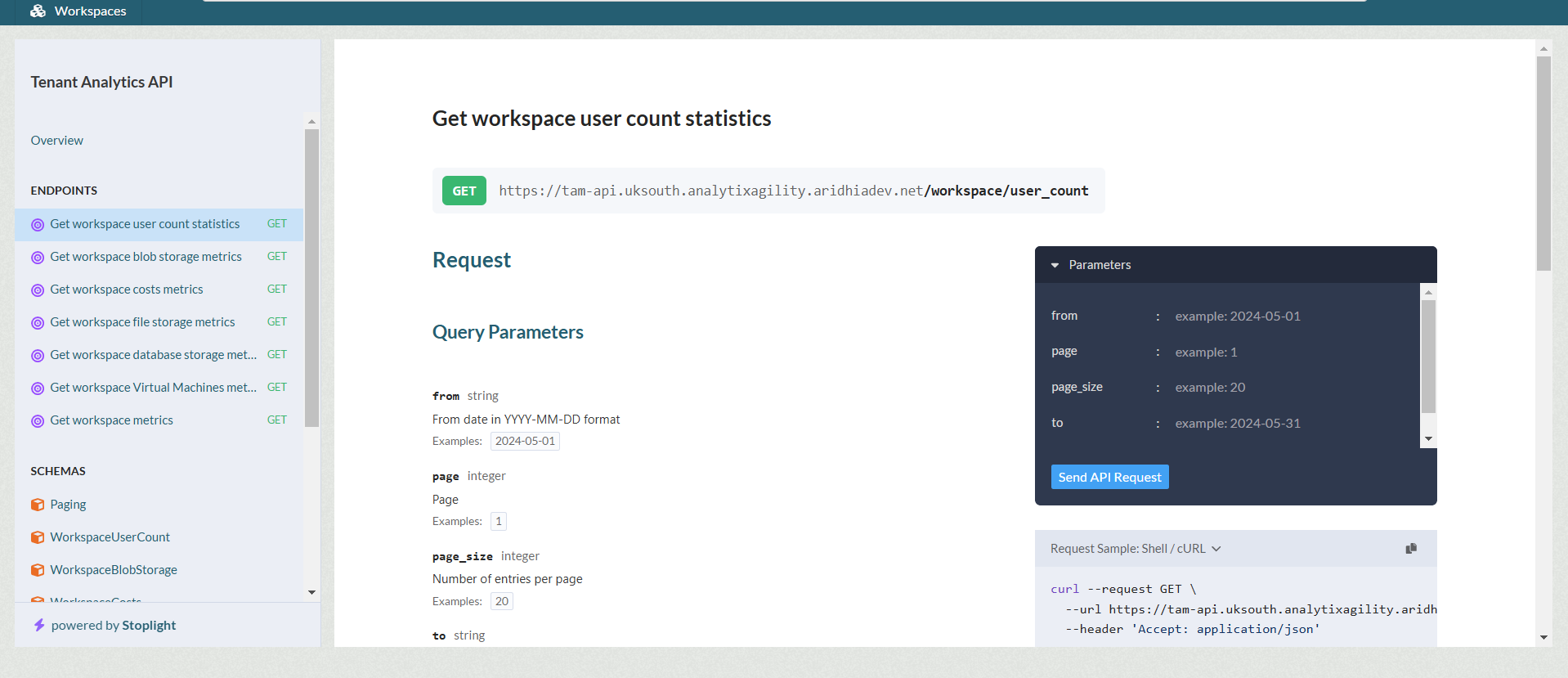
Hub and Tenant Admins can issue long life tokens to interact with the TAM endpoints, though Tenant Admins can only recover data for their own organisation within Workspaces.
A full list of available metrics and endpoints is available here.